Setting up for operations
Before you can create a waybill, Rail Ops needs to know what's on your railroad: the towns, the tracks at each one, and the customers those tracks serve. This is mostly one-time setup per layout. You don't need to model everything before you start; add more locations and industries as your railroad grows.
Add your locations
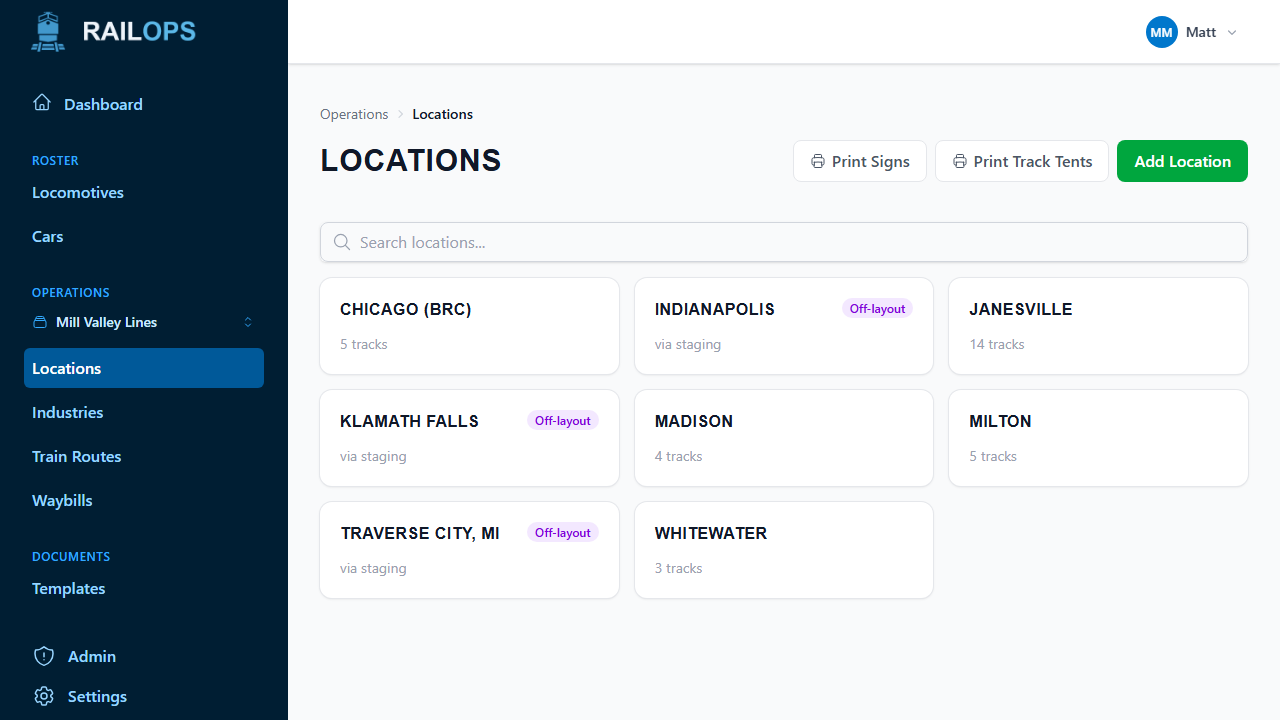
A location is any place on your layout with track: an industry town, a yard, a staging yard, an interchange.
- Go to Operations → Locations and select Add Location.
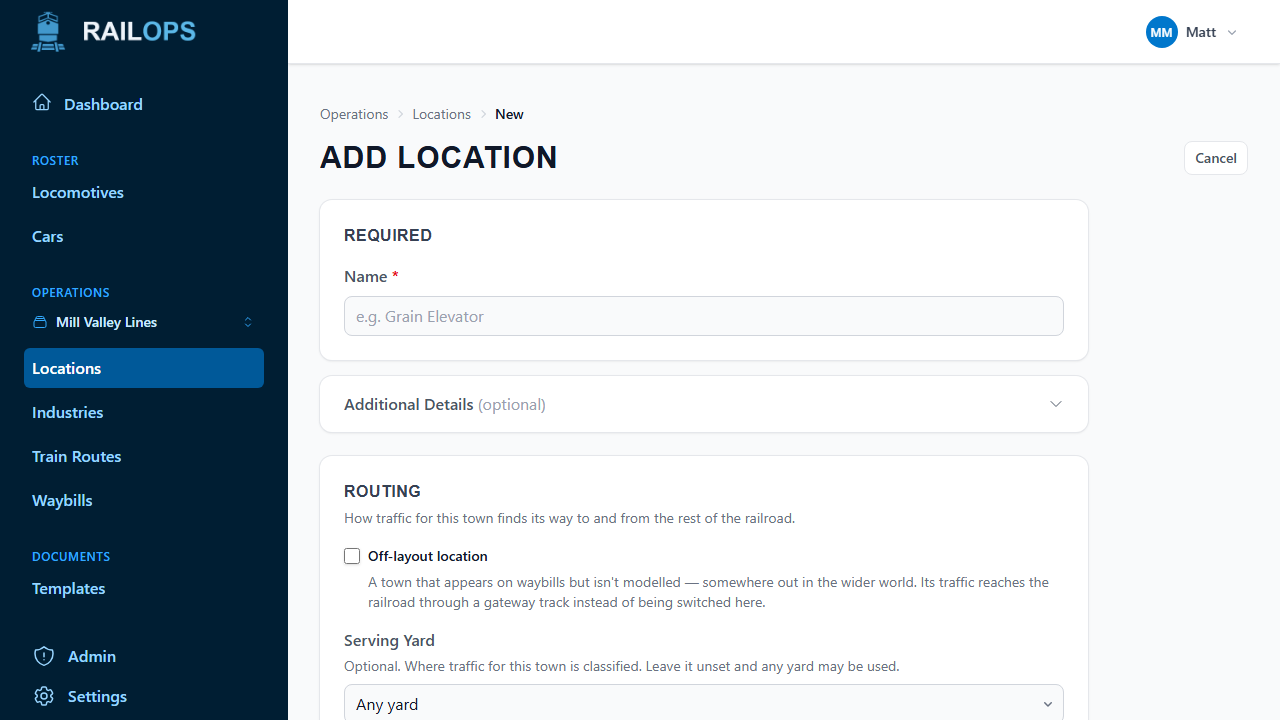
- Give it a name and, optionally, a city and state. These fill in shipper and consignee addresses on waybills later.
- Set its Serving Yard if traffic for this town should always be classified at a specific yard. Leave it blank to let planning use any yard.
Off-layout locations
Not everywhere your railroad reaches has to be built. Check Off-layout location when adding a place that exists only on paper, like an interchange partner or a distant city your waybills reference but that isn't modelled. Cars for an off-layout location appear and depart at a gateway track (a staging or interchange track) instead of being switched through a real town.
Add tracks
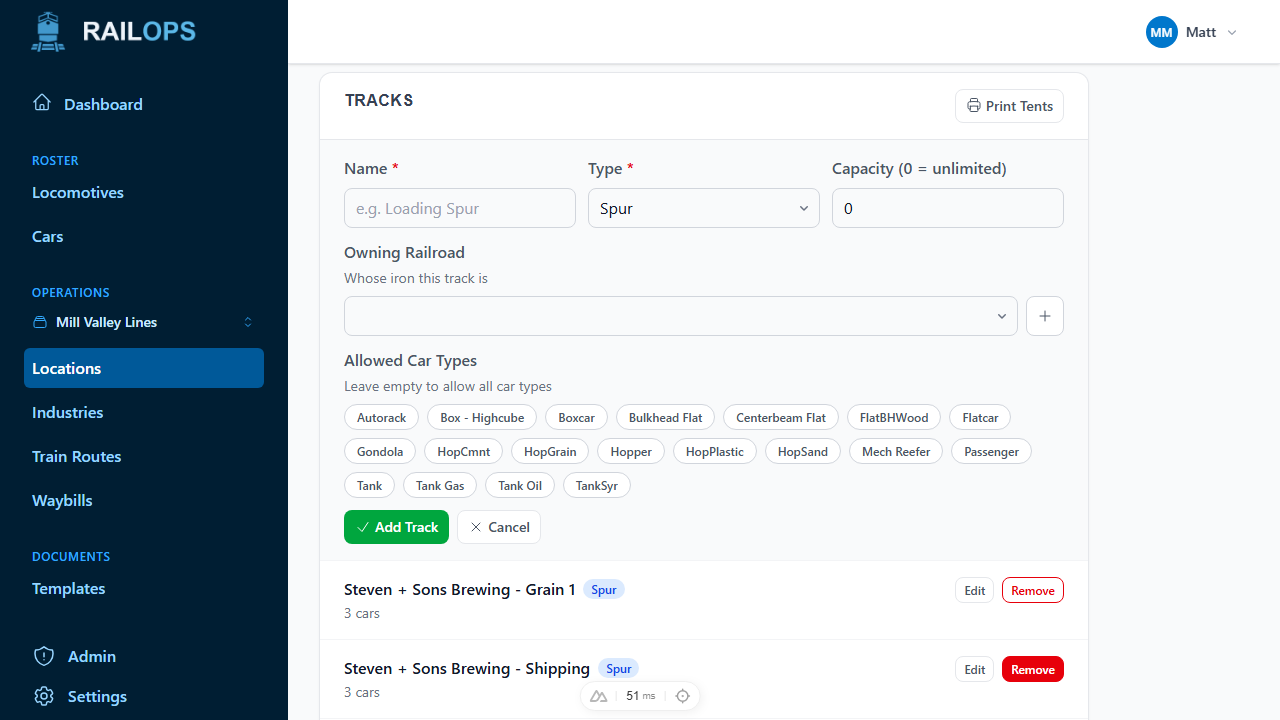
Open a location and select Add Track to lay out its sidings, yard tracks, and staging tracks.
- Type — Spur, Yard Track, Runaround, Staging, or Interchange.
- Capacity — how many cars it holds. Leave it at 0 for unlimited.
- Owning Railroad — whose iron it is, if that matters on your railroad.
- Allowed Car Types — restrict the track to specific car types, or leave it open to everything.
An off-layout location usually doesn't need any tracks of its own, since its cars are handled at the gateway track instead.
Add industries
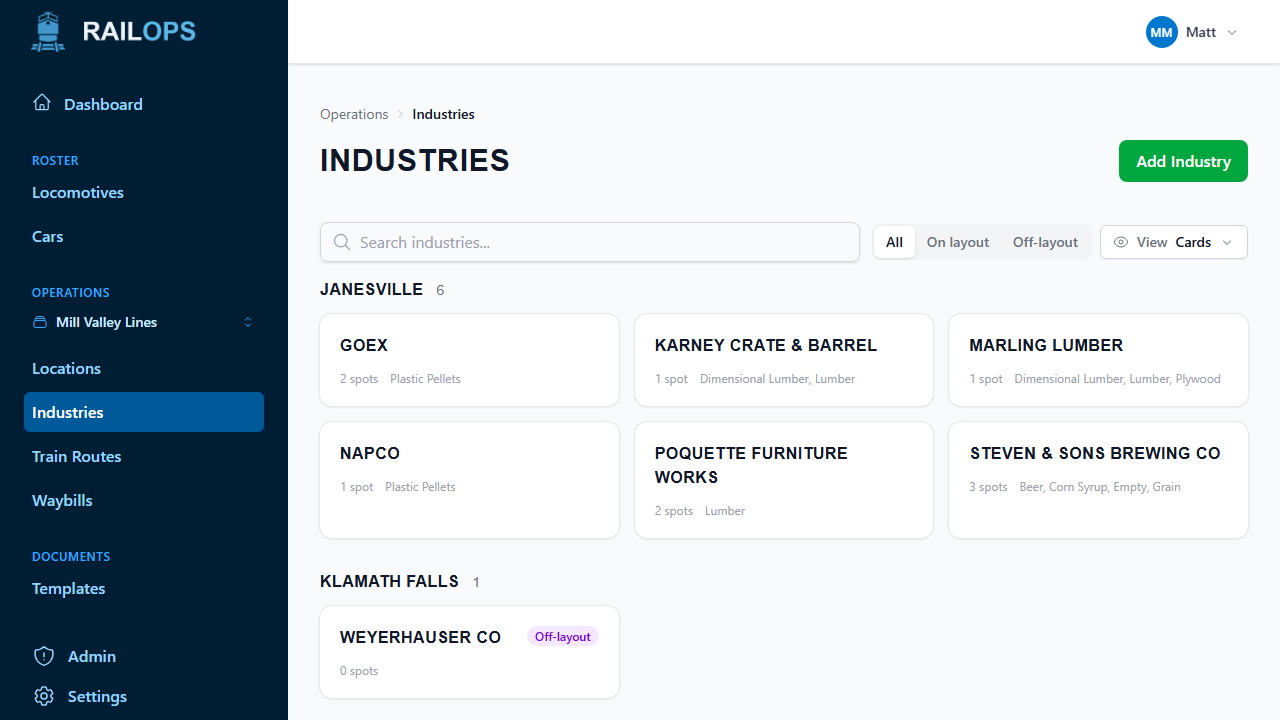
Industries are the customers on your railroad. They're what shipper and consignee fields point to on a waybill, and they're what will eventually drive switchlist generation.
- Go to Operations → Industries and select Add Industry.
- Give it a name and choose the location it's at. This can't be changed later, so pick the right town up front.
- Optionally set a Serving Railroad if a specific carrier switches this customer.
Add a spot
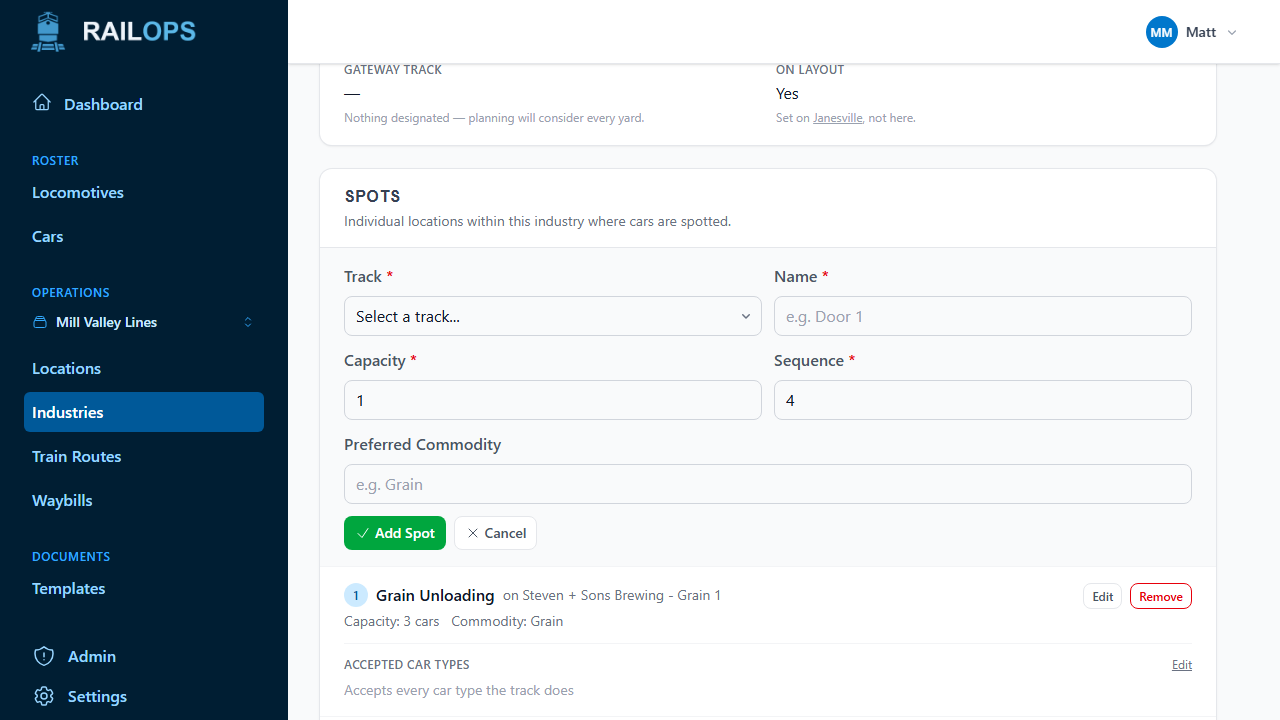
Back on the industry's page, add at least one spot, the actual track where this customer's cars sit. A spot needs a track, a name, and a capacity. This is what lets Rail Ops resolve a customer down to a real track when a car is spotted or a waybill cycle is built.
Off-layout industries don't need a spot — their cars are handled at the location's gateway track automatically.
Next
With a few locations, tracks, and industries in place, you're ready to create waybills.