Creating waybills
A waybill card is a reusable shipment. It isn't tied to any one car. Each card can hold up to 4 cycles, and each cycle is one leg: an origin, a destination, a load state, and who's shipping and receiving. A car works through a card's cycles in order as it moves around your railroad.
You can build cards by hand, one cycle at a time, or have Rail Ops generate a starting set for every car type on your layout.
Create a card manually
- Go to Operations → Waybills and select New Card.
- Choose a car type, or leave it blank so the card can be assigned to any car.
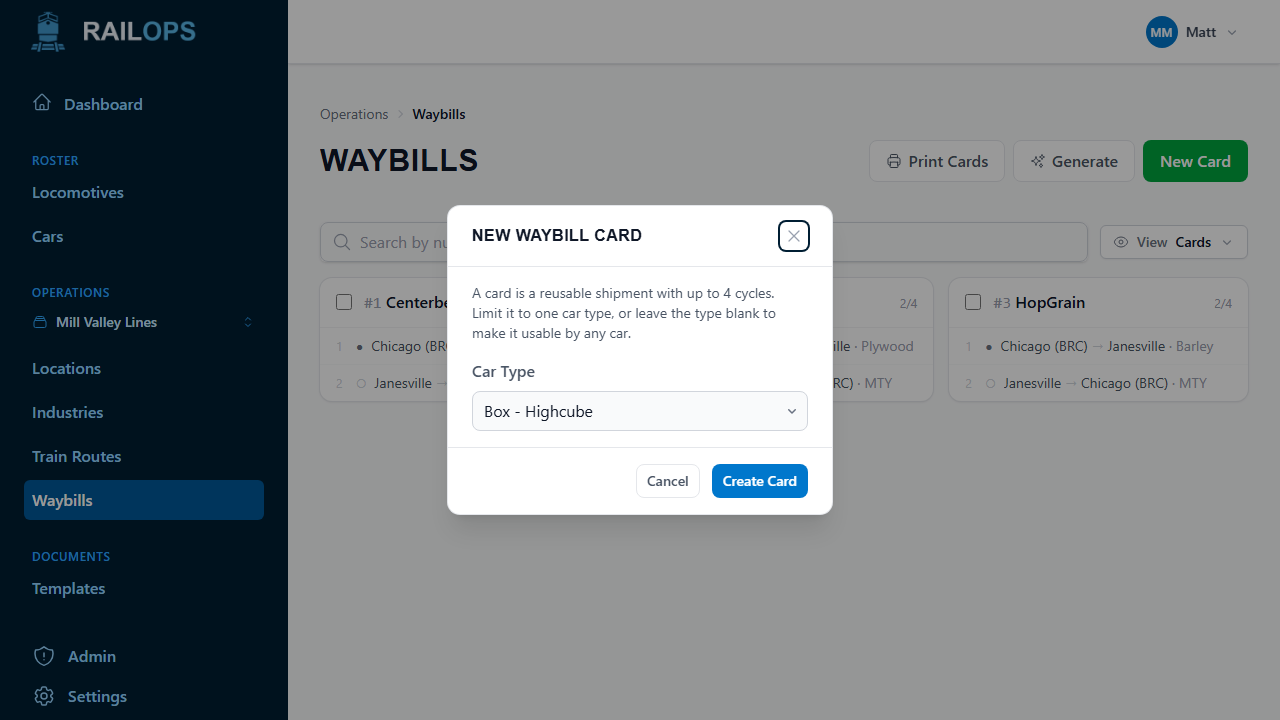
That gives you an empty card, numbered automatically — you'll see it as #1, #2, and so on wherever cards are listed. Open it and select Add Cycle to describe a shipment:
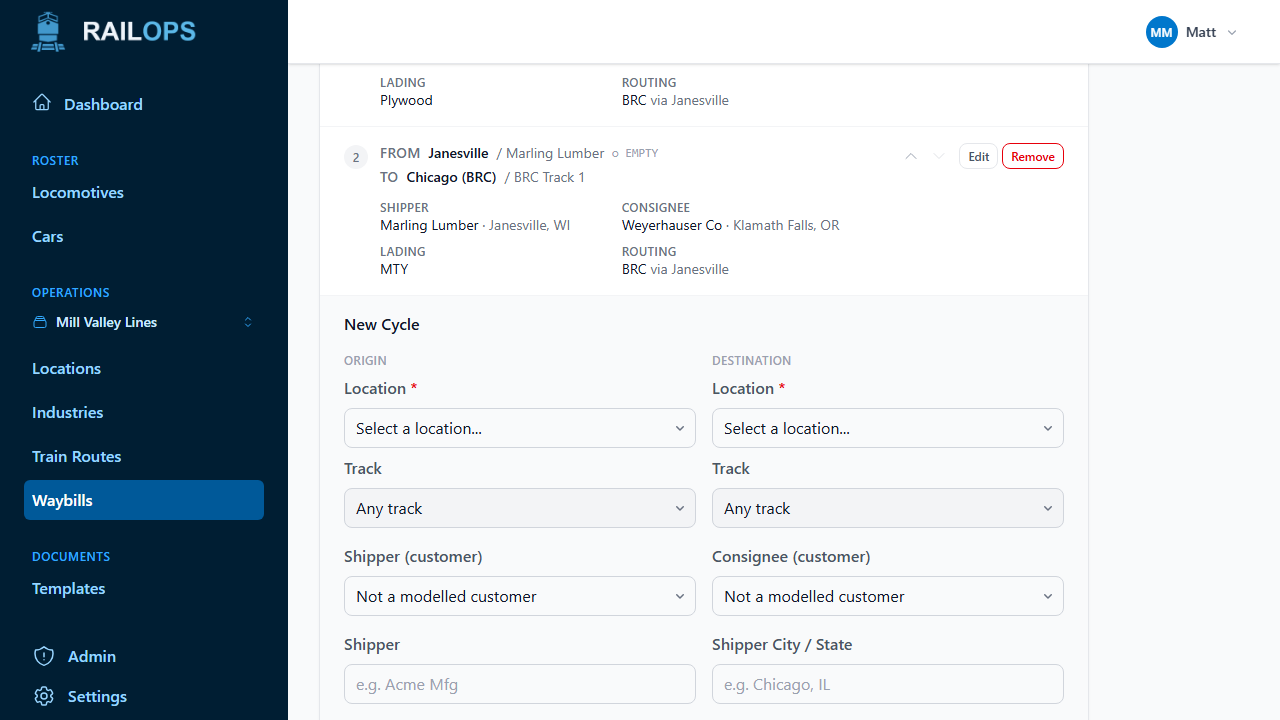
- Origin / Destination — a location and, optionally, a specific track.
- Shipper / Consignee — pick a modelled customer from the dropdown, or type a name and city by hand if it's not one you've added as an industry. Picking a customer moves the origin or destination to wherever that customer's cars actually sit, and the card keeps printing that customer's current name and address even if you rename it later.
- Lading, Load State, Routing, and Via — the descriptive details that print on the card.
Add as many cycles as the shipment needs, up to 4. Reorder them with the up/down arrows, or edit and remove them from the same list.
Generate cards automatically
Note
Waybill generation is still in early development. It may produce inconsistent results and is subject to change.
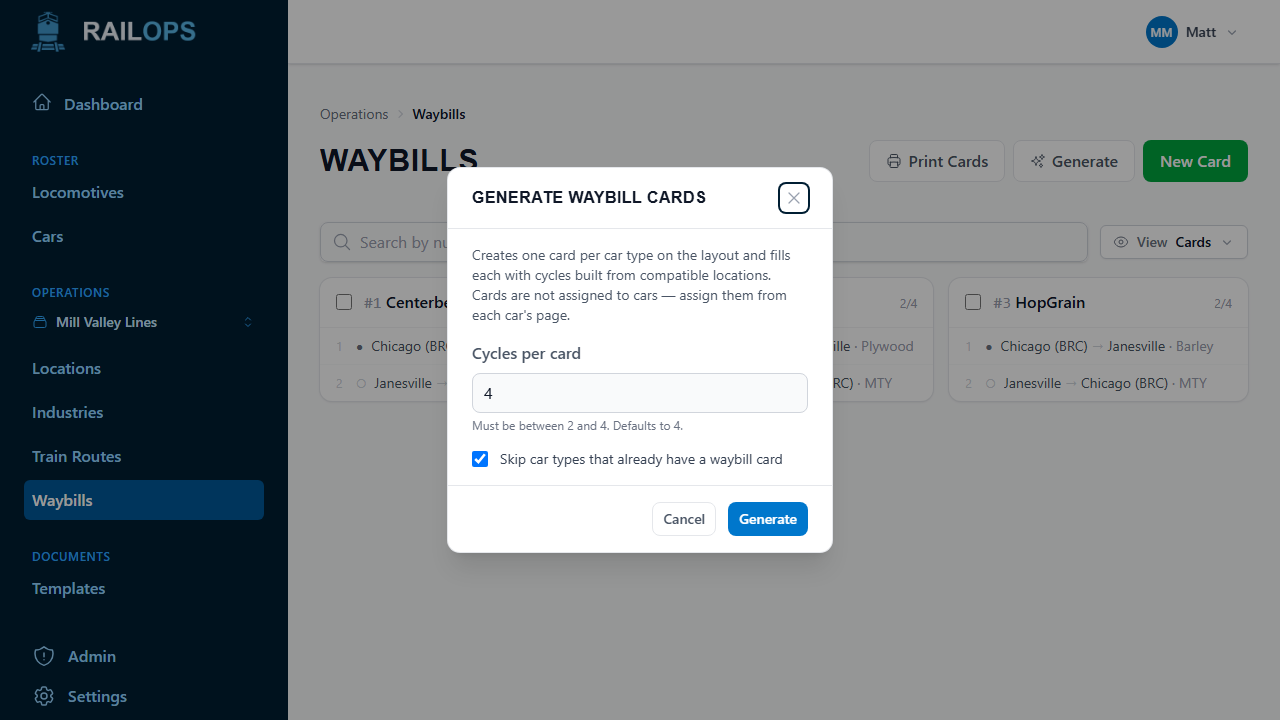
If you'd rather not build every card by hand, select Generate from the Waybills page. This creates one card per car type on your layout and fills each with cycles built from compatible locations. It's a fast way to get a working set of waybills before you fine-tune anything.
- Cycles per card — how many cycles to generate on each card (2–4).
- Skip car types that already have a waybill card — on by default, so re-running this later only fills in gaps.
Generated cards aren't assigned to any car. You'll still assign them from each car's page. If a car type has too few compatible locations to build cycles from, it's skipped and called out in the results.
Next
Once you've got waybill cards you're happy with, generate printable waybill cards for your next operating session.